🧭 Apploye Timesheet Approval V2 Is Here
We've completely redesigned the Timesheet Approval experience to help managers review and approve employee time faster, with better visibility, more control, and fewer clicks.
The new experience is available immediately to all customers.!
⚡ Significantly Faster Approvals
Timesheet Approval V2 is built for speed. Whether you're reviewing a small team or approving time across a large organization, the page now loads significantly faster than before.
We've also improved navigation throughout the approval process. Opening a team member's details no longer reloads the entire approval queue, making reviews feel much more responsive.
📈 Get the Full Picture at a Glance
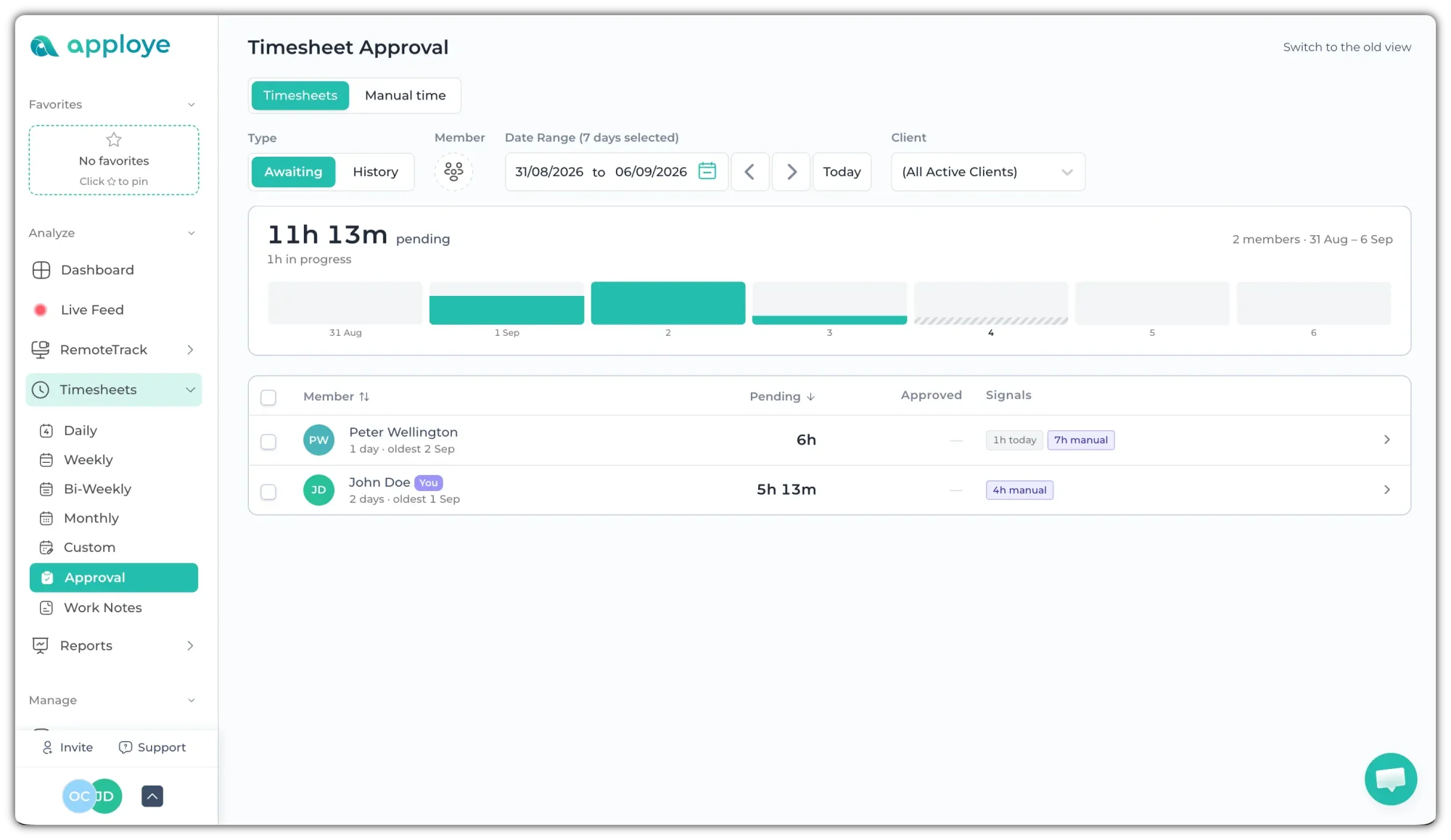
The new overview panel gives you a quick summary of the selected period before you dive into individual team members:
- Total pending time: See the total time awaiting your decision across everyone currently in view, displayed prominently at the top.
- Clear context: See how many team members are included and the date range you're reviewing.
- Quick status breakdown: See approved, rejected, and in-progress totals when there’s time to report.
- Daily approval overview: A visual bar for each day shows which days still have time waiting for approval, with each bar broken down by status.
- Smart date ranges: The chart automatically adapts to the selected period to keep it readable, whether you're reviewing a few days or several weeks.
- Today at a glance: Today is clearly marked, while unfinished days are labeled "Not approvable yet."
- Nothing pending: When the queue is clear, you'll see "Nothing pending" instead of a zero-value total. 🎉
👀 See What Needs Attention at a Glance
The approval queue has been redesigned to show one row per member instead of a long list of individual entries.
Each row now shows:
- Team member name
- Total pending time
- Number of days awaiting approval
- Hourly pay rate (where applicable)
- Signals that highlight items needing additional review
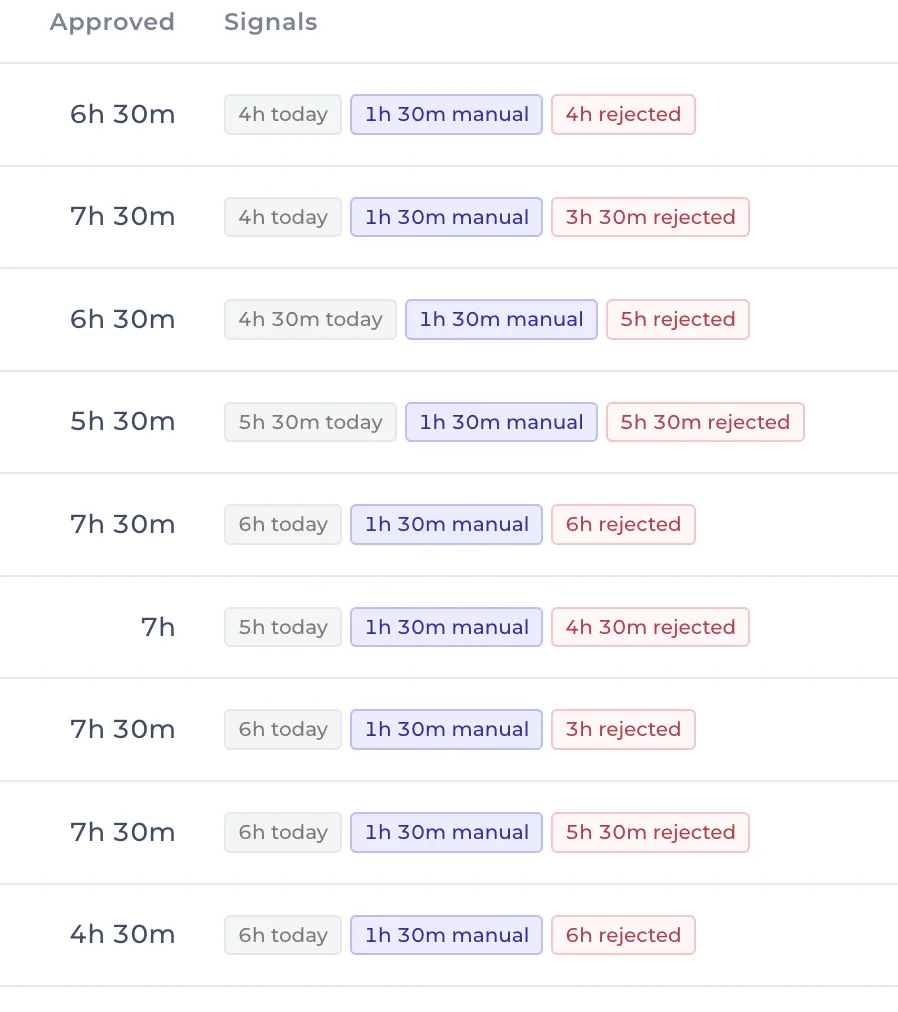
The new Signals column helps reviewers focus on exceptions, such as:
- Manually added time
- Recorded idle time
- Previously rejected time within the selected period
- Time currently being tracked and not yet eligible for approval
When no signals are shown, you can confidently approve without digging into additional details.
We've also added a Last Action column in the history page so you can see who last reviewed a team member's time, what action they took, and when it happened.
You can also sort the queue by team member name or pending time, making it easier to prioritize reviews.
📊 Review Time Visually with the New Timeline
Expanding a team member now reveals a visual timeline of their workday.
The timeline makes it easier to understand:
- When work was performed
- How time is distributed throughout the day
- Which portions are pending, approved, rejected, or still in progress
- Where manually added entries and idle time occurred
All timelines now use the same 12 AM–12 AM scale, making comparisons across team members much more accurate and intuitive.
Need more detail? You can zoom into an individual member's working hours using the new Fit to this member option.
Clicking any timeline block also provides quick access to project details, task information, exact timestamps, pending time, idle time, and approval actions.
✅ Approve and Reject in Bulk
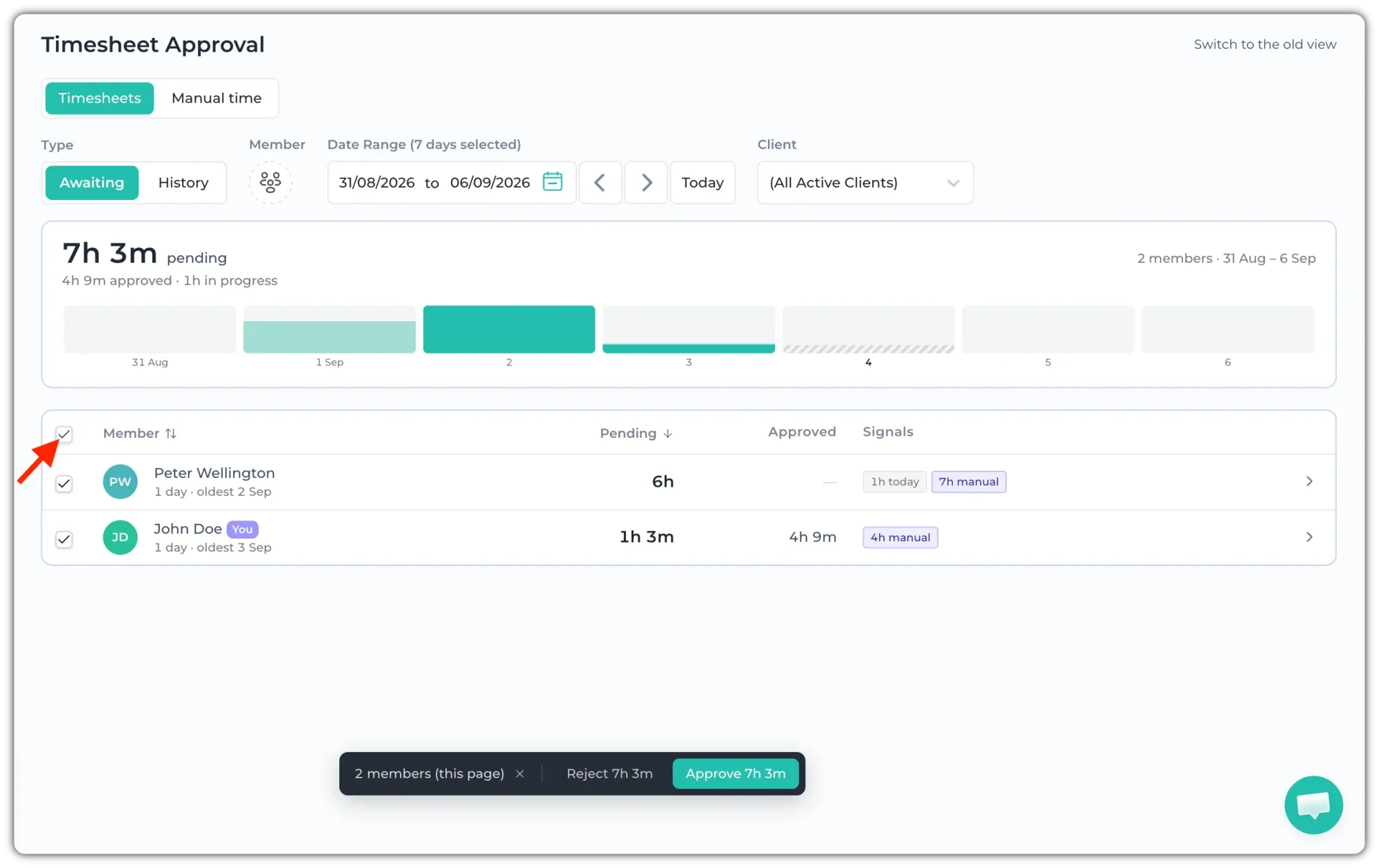
Approving time across multiple team members is now much easier.
You can:
- Approve or reject everyone in the current filtered view
- Apply actions across the entire filtered result set
- Undo bulk approval or rejection actions
- Process large batches in the background while tracking progress
Confirmation messages are now more informative, clearly showing exactly how much time was approved or rejected and how many team members were affected.
⚠️ Important to Know
In-Progress Days Are Protected 🚧
Only completed days can be approved. Time that is still being tracked today is clearly marked as in progress and remains unavailable for approval until the day is complete.
This helps prevent accidentally approving time before a workday has ended.
🔄 Transition Period
If you'd like more time to adapt, you can switch back to the previous approval page using the link available within Timesheet Approval.
The previous approval page will remain available until September 30, 2026, after which Timesheet Approval V2 will become the standard experience for all users.
We're excited for you to try the new approval experience and hope it helps your team review and approve time faster than ever before.